Tutorial · Sharing
How to share a document from PaginaScan
Open a document, tap Share in the bottom bar, then pick Mail, Messages, AirDrop or any other app. It leaves as one PDF, under the document's own name, with any signatures printed in. Sharing a document is free.
- Free
- iPhone or iPad
- Any app that takes a PDF
Open the document
Pick it from your library, a folder or a search. Share sits in the bottom bar.
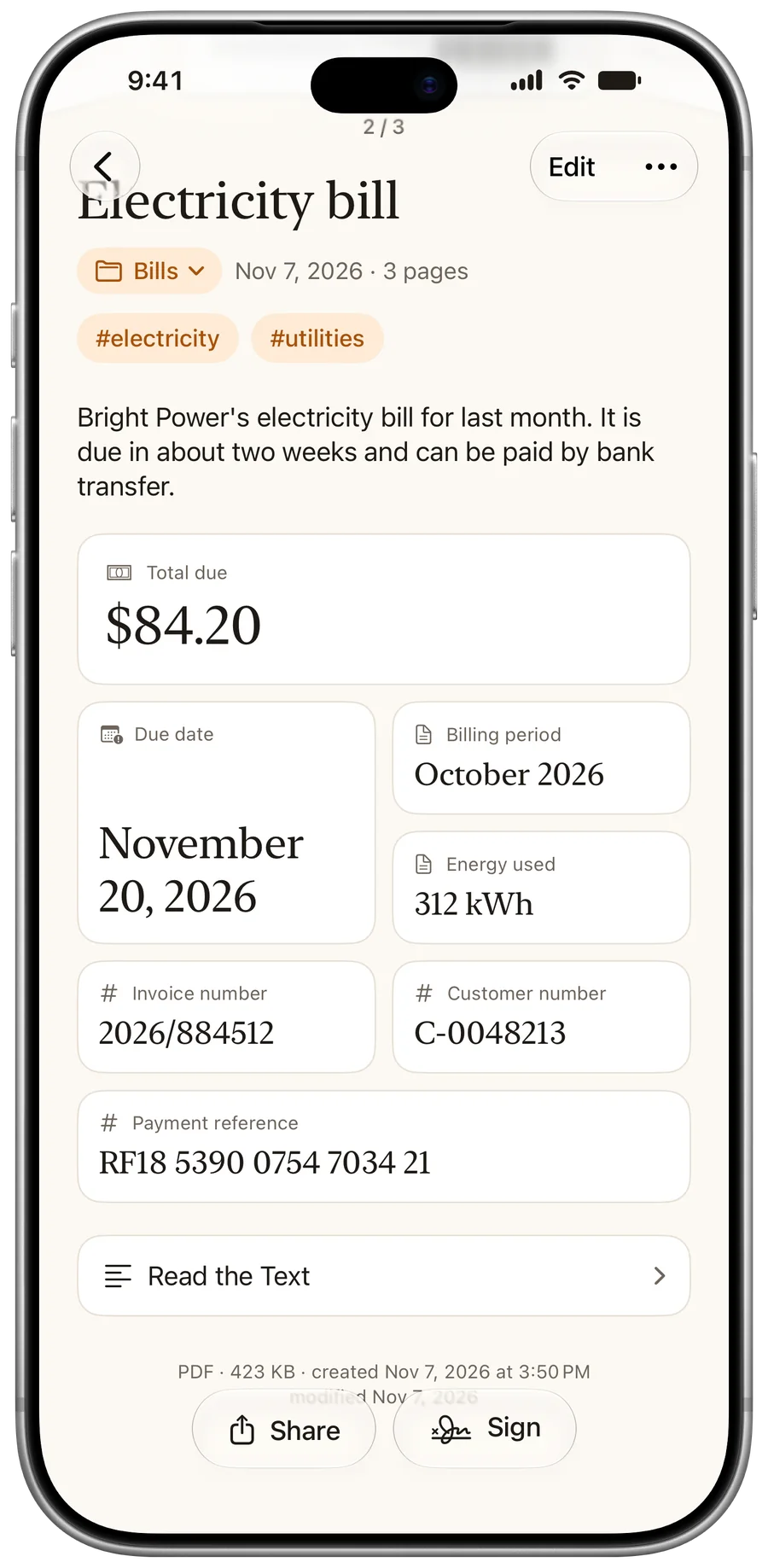
Tap Share
The system share sheet opens, with AirDrop, your contacts and your apps.
Good to know
The file carries the document's name, so the person who gets it knows what it is.
Pick where it goes
Send it by Mail or Messages, drop it to a nearby device, or save it to Files.
Good to know
A signature is printed into the PDF as it leaves. The copy in your library stays editable.
Questions
What format does it share?
A PDF, one file for the whole document.
Can the person search the PDF?
Not for a scan: the PDF holds the page images. Imported PDFs keep any text they already had.
Does the person need PaginaScan?
No. It's an ordinary PDF that opens anywhere.
More tutorials
Last updated: