A private document scanner for iPhone and iPad
PaginaScan is a private document scanner for iPhone and iPad. You don't create an account. Your scans stay on your device and, if you turn on sync, in your own iCloud. We run no server that receives them, and the app has no ads and no analytics or tracking software.
Download on the App StoreLast updated:
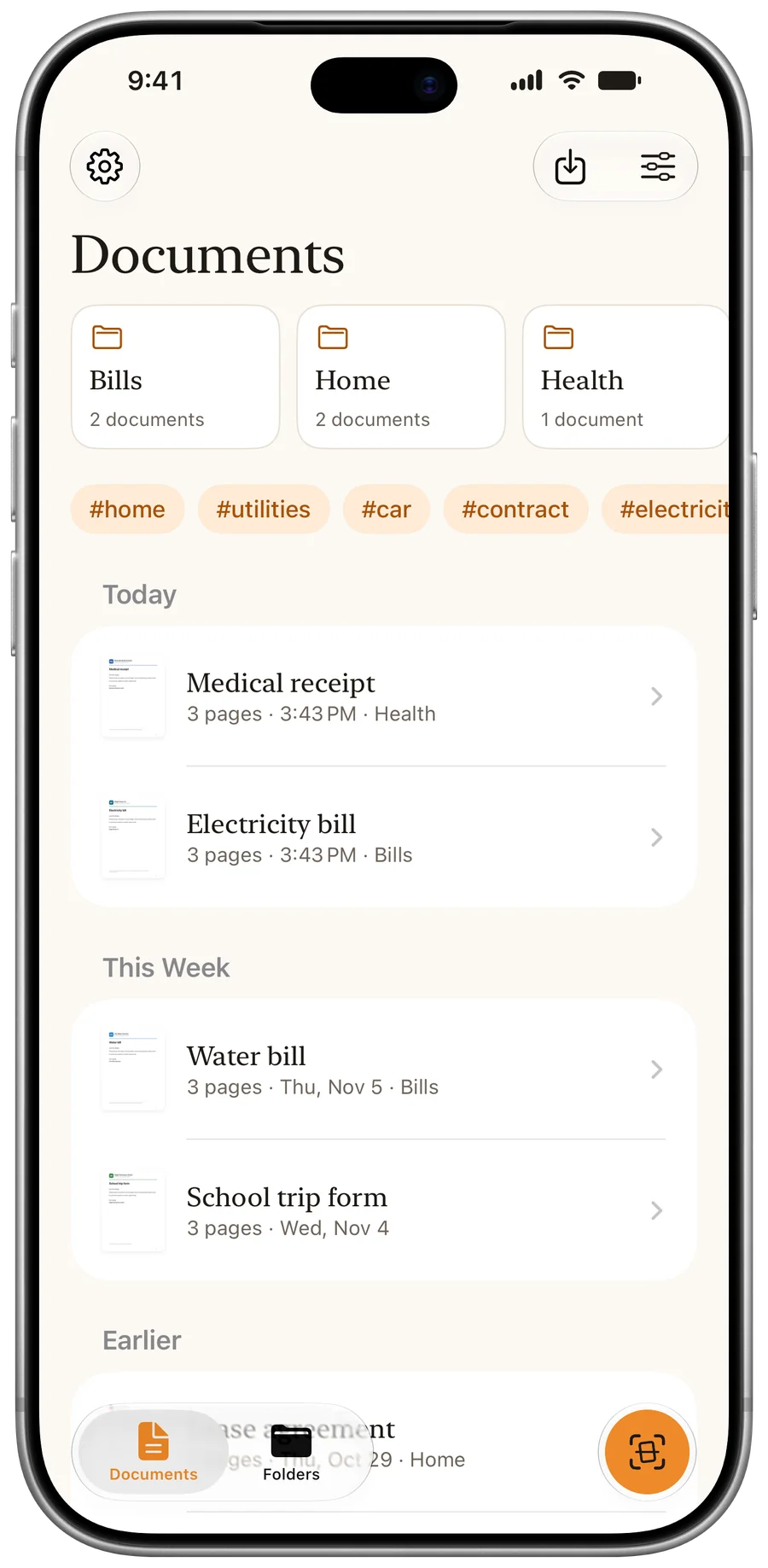
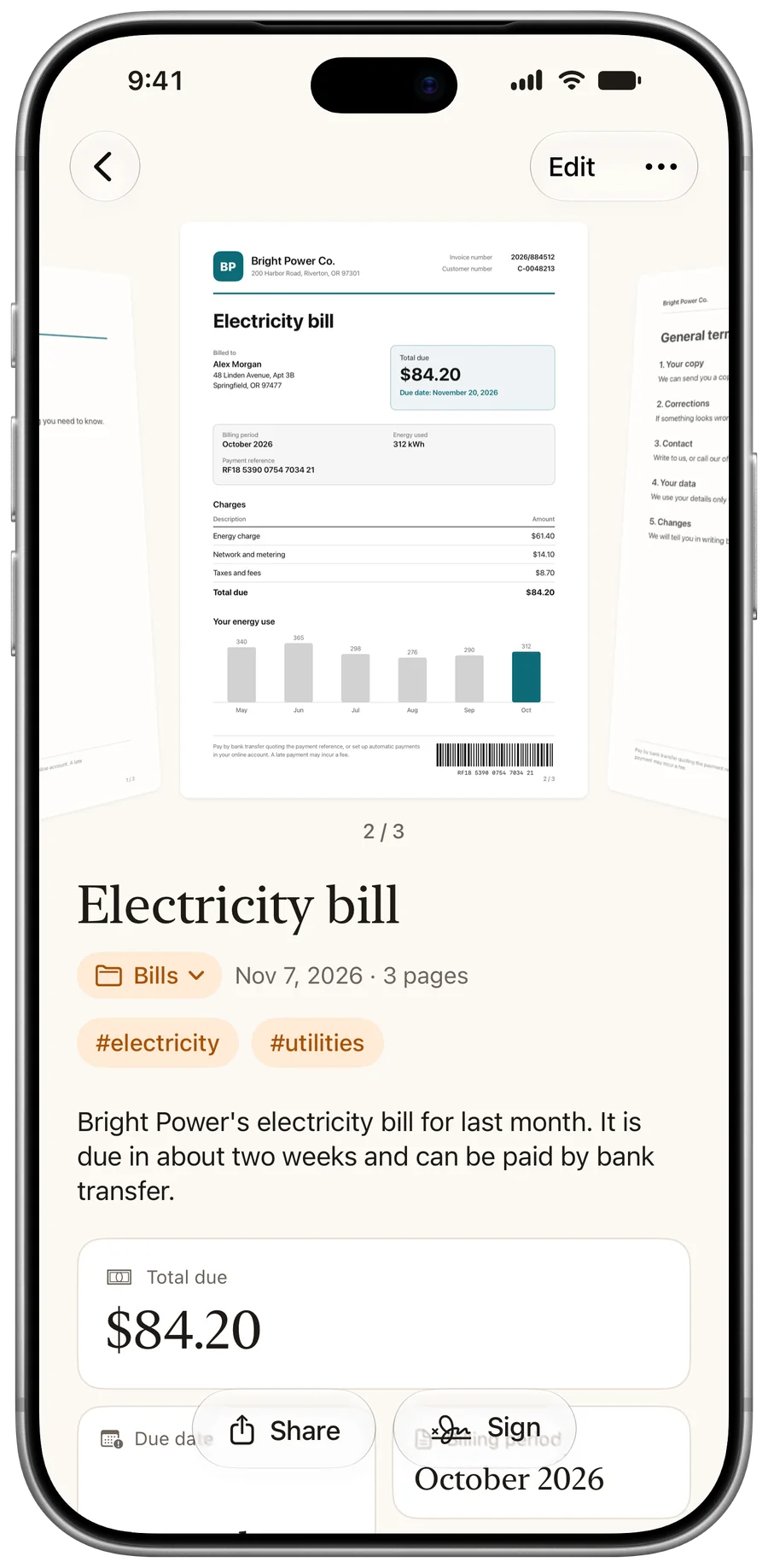
No account
Nothing to sign up for.
No server of ours
We have no copy of your documents.
No ads or trackers
No third-party kits for either.
Read on your device
Text recognition always runs there.
What makes a document scanner private?
Bills, contracts and medical papers say a lot about you. Five questions tell you how a scanner app treats them. Here is how PaginaScan answers each one.
Do I need an account?
No. There is nothing to sign up for.
Where do my scans go?
To your device and, with sync on, to your own iCloud account.
Does a server of yours receive them?
No. We run none, and we have no copy of your documents.
Are there ads or trackers?
No. The app includes no third-party kit for advertising, analytics or tracking.
Who reads the text?
Your device. Text recognition always runs on the iPhone or iPad.
Where do your scans go, and who can read them?
| What | Where it lives | Who can read it |
|---|---|---|
| Scans and PDFs | Your device, and your private iCloud with sync on | You |
| Recognised text | Read on your device, kept with the document | You |
| Backups | Your iCloud Drive where available, otherwise your device | You |
| A shared folder | The iCloud accounts of you and the people you invite | You and those people |
| A message you send us | Your email, and our inbox | Us, because you sent it |
Is the AI in PaginaScan private?
Yes, and you choose how it works. The name, summary and data come from Apple's models, not from ours. They run on your device or, from iOS 27, through Apple's Private Cloud Compute, an encrypted link that no one can read, not even us. If you pick iPhone Only, the analysis never leaves the device. It is more limited, above all in summaries.
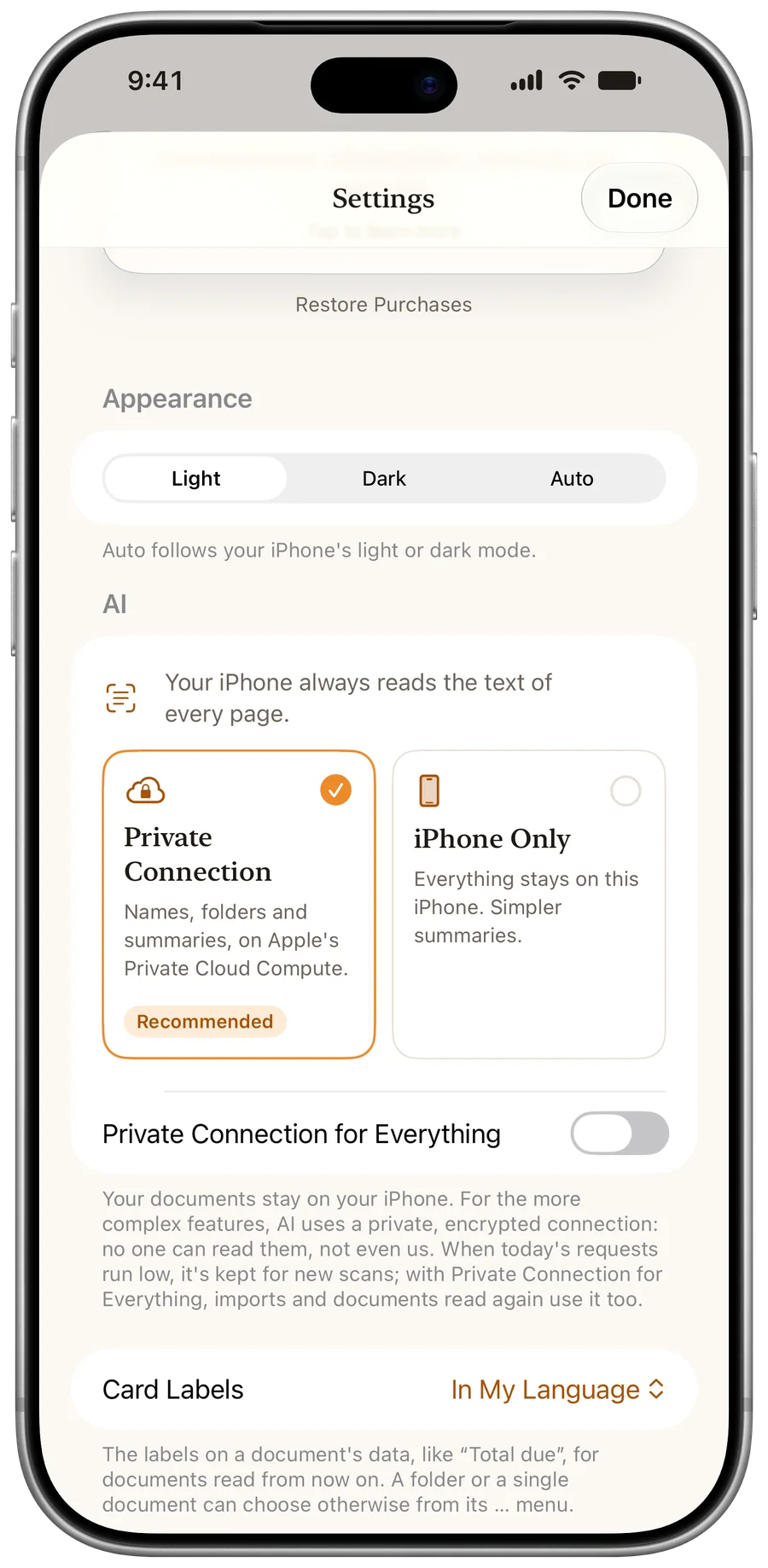
Does anything leave your device?
Only what you turn on or send yourself:
- iCloud sync and backups, to your own account.
- The Private Connection, if you choose it.
- A folder you share, to the people you invite.
- A support message, and the diagnostic log if you choose to attach it. It only ever includes the categories you pick.
What are the limits?
- PaginaScan runs on iPhone and iPad with iOS 26 or later. There is no Android or Mac version.
- Suggestions and summaries need a device with Apple Intelligence.
- iCloud is Apple's service: what you keep there follows Apple's security and terms.
- We have no copy of your documents, so we can't recover them for you. Keep sync or backups on.
Questions
Does PaginaScan upload my documents?
Not to us. They stay on your device and, with sync on, in your own iCloud account. With the Private Connection, the text needed for names and summaries goes through Apple's Private Cloud Compute, which no one can read.
Can you see my documents?
No. We run no server that receives them, and we can't access your iCloud account.
Can I use PaginaScan without iCloud?
Yes. Your documents then stay only on your device.
Is it safe for medical or tax papers?
The app treats every document the same way, whatever it says, and never sends one to us.
How do you use it?
Every sheet, in its place.
Free to download. No account, no ads, no tracking.
Download on the App Store